
Outbound links to recommended resources on this site are clearly labeled by type. When purchases are made through those labeled “Affiliate Link,” Mouse Click Tutorials may earn commissions (payments from the businesses behind the resources) without adding to the price you pay. Commissions create a potential for bias, so wherever an affiliate link appears, a non-affiliate option sits right beside it and the choice is yours. Affiliate links only go on resources that have been used hands-on, not on those recommended based on research alone — and that hands-on experience often predates this site itself, built up over years before Mouse Click Tutorials existed. Recommendations aim to fit your needs, whether they pay or not, because this site only works if they actually help you. Content, including text, images, and voiceovers, is created with AI assistance, with real expertise leading and AI helping deliver it at scale. The tutorials are free; the site is funded by opt-in affiliate links and paid projects.
Chapters
this is a post with a long title to test long title post nav 2
this is a post with a long title to test long title post nav 2
this is a post with a long title to test long title post nav 2
How to Register a Domain Name with Namecheap
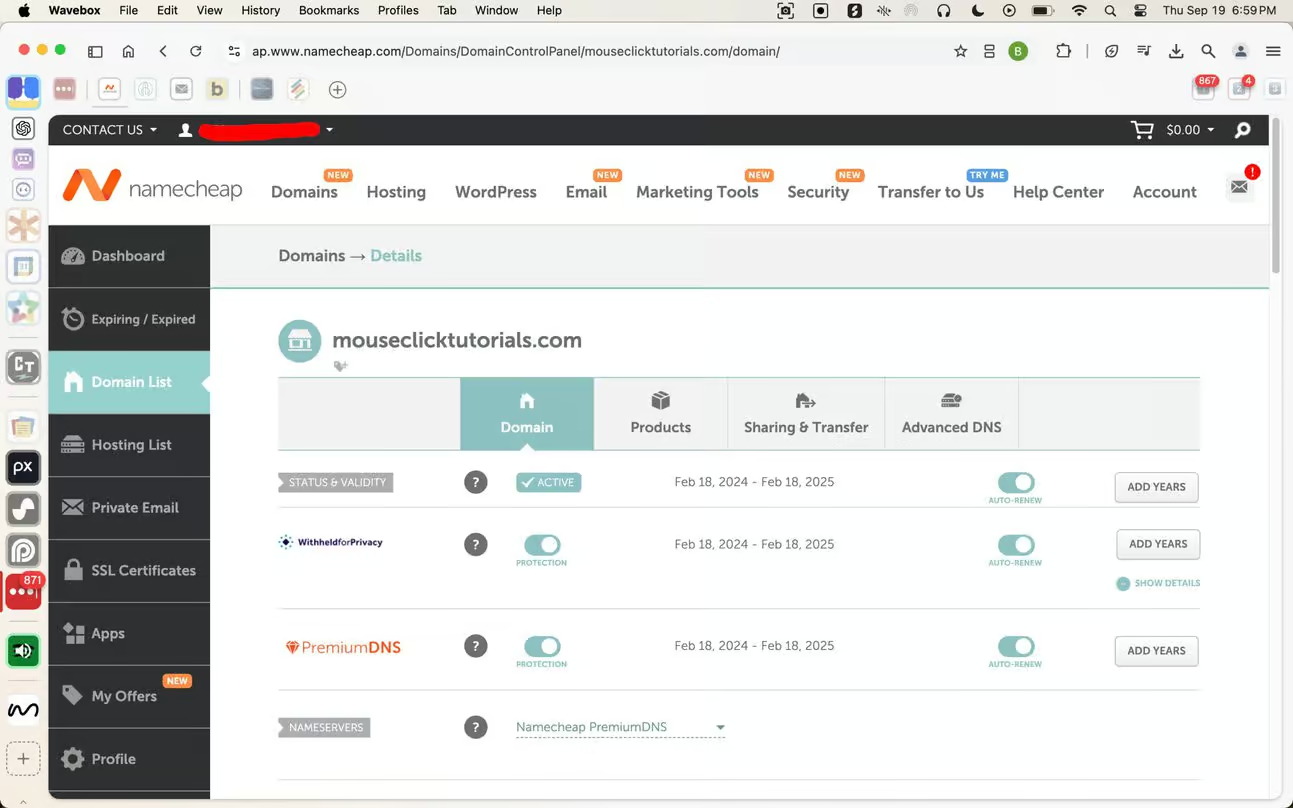
What Is a Domain Name?
A domain name is the address people type into their browser to visit your site. Think of it as your website’s home address. It’s how your audience finds you online.
Example 1: mouseclicktutorials.com
Example 2: mouseclickbusiness.com
What Are Domain Extensions?
A domain name includes two parts: the name itself (like mouseclicktutorials) and the extension (like .com).
Extensions indicate the type of website or organization you’re running. Common examples include:
- .com (general or commercial use)
- .org (nonprofits or organizations)
- .net (network-related projects)
- .edu (educational institutions)
There are also modern, specialized extensions like .blog, .shop, or .tech that can make your domain name more descriptive.
What About Subdomains?
A subdomain is an extension of your main domain, added as a prefix and separated by a dot. It’s often used to create distinct areas of a website, such as a store or blog, under the same main domain name.
Examples of subdomains:
- easy.mouseclicktutorials.com
- advanced.mouseclicktutorials.com
How Domains Work
When someone types your domain into their browser, the domain connects them to your website. There are two main ways this can happen:
- Pointing a Domain: The domain connects visitors to your hosting server, where your website’s files are stored. This allows your website to load.
- mouseclicktutorials.com is pointed to the server it’s hosting account resides on
- Forwarding a Domain: The domain redirects visitors to another web address, such as a YouTube channel or an existing website. This doesn’t require hosting for the forwarded domain, as the destination site handles everything.
- mouseclickbusiness.com is forwarded to it’s YouTube channel
Why Namecheap?
1. Full Ownership and Control: Why Namecheap is a Trusted ICANN Registrar
2. Transparent, Affordable Pricing: Why Namecheap is Cost-Effective
3. Easy-to-Use Interface: Why Namecheap is Beginner-Friendly
4. Security-First Approach: Why Namecheap Protects Your Information
I don't earn commissions from this link
I may earn commissions from this link
Mouse Click Highlights
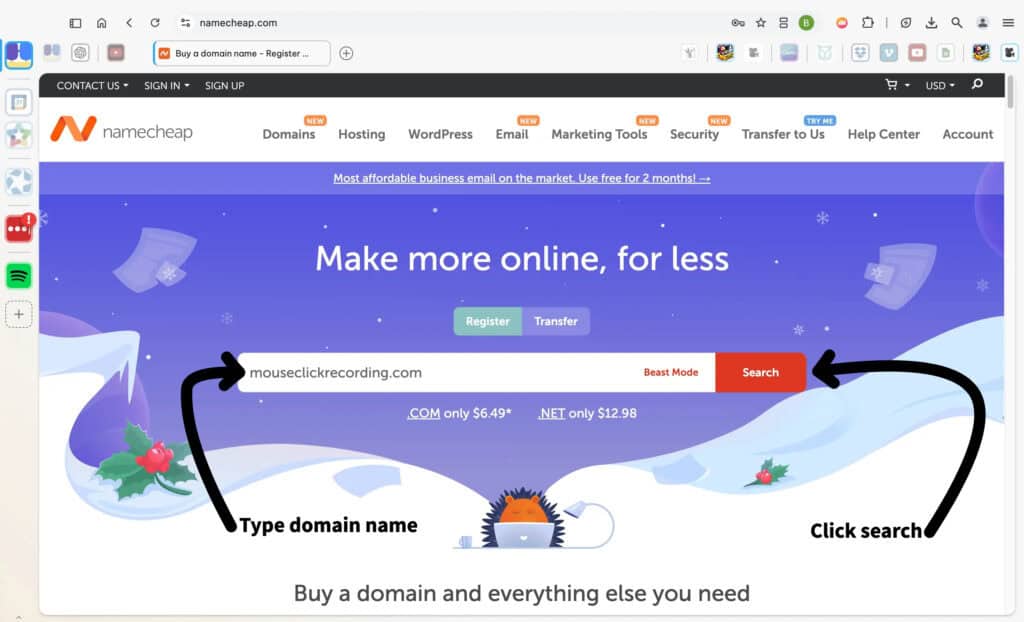
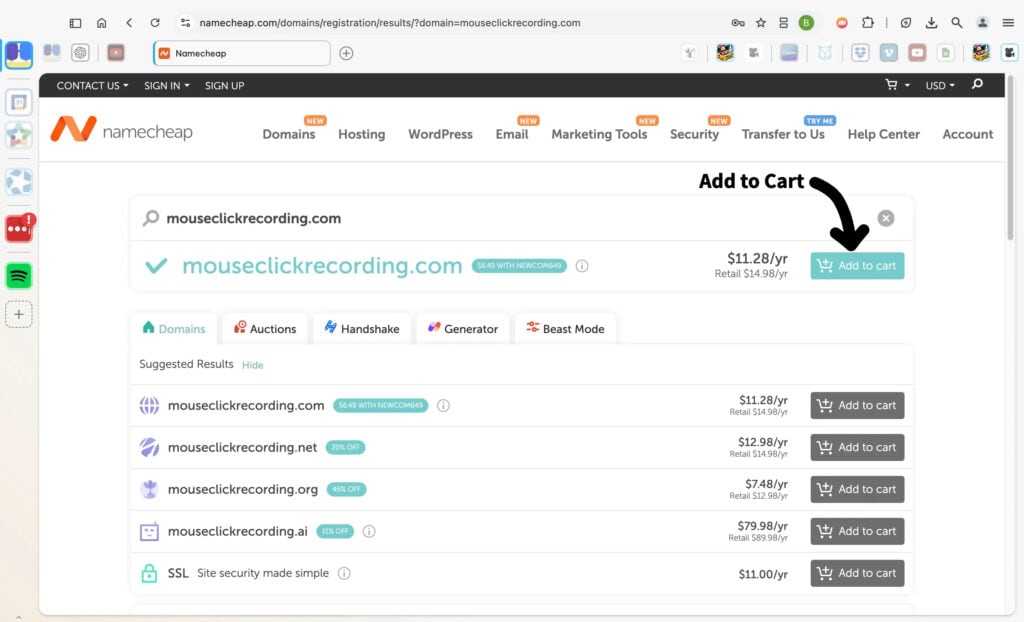
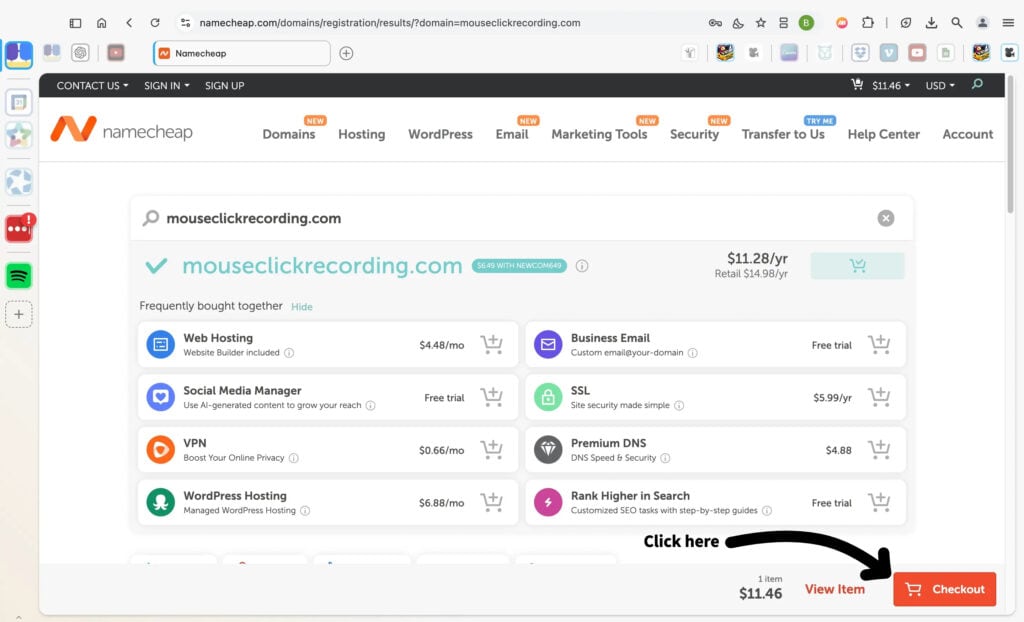
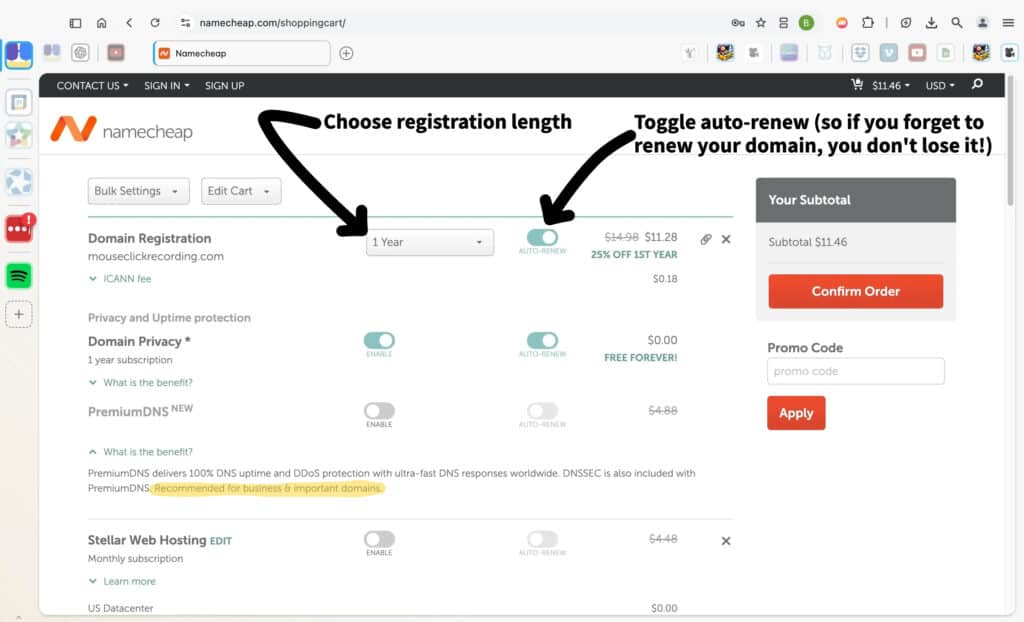
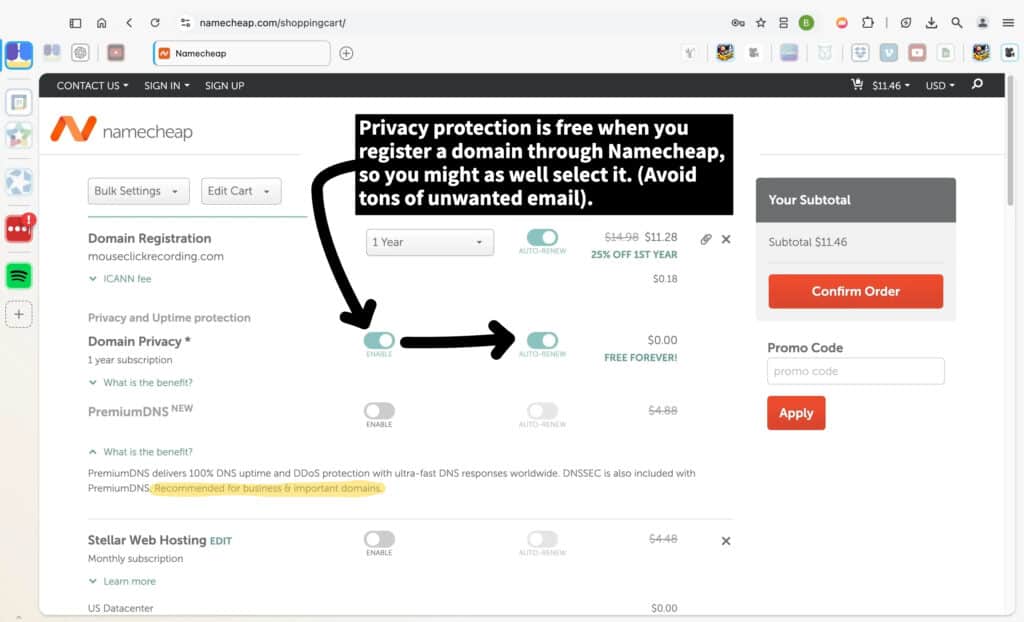
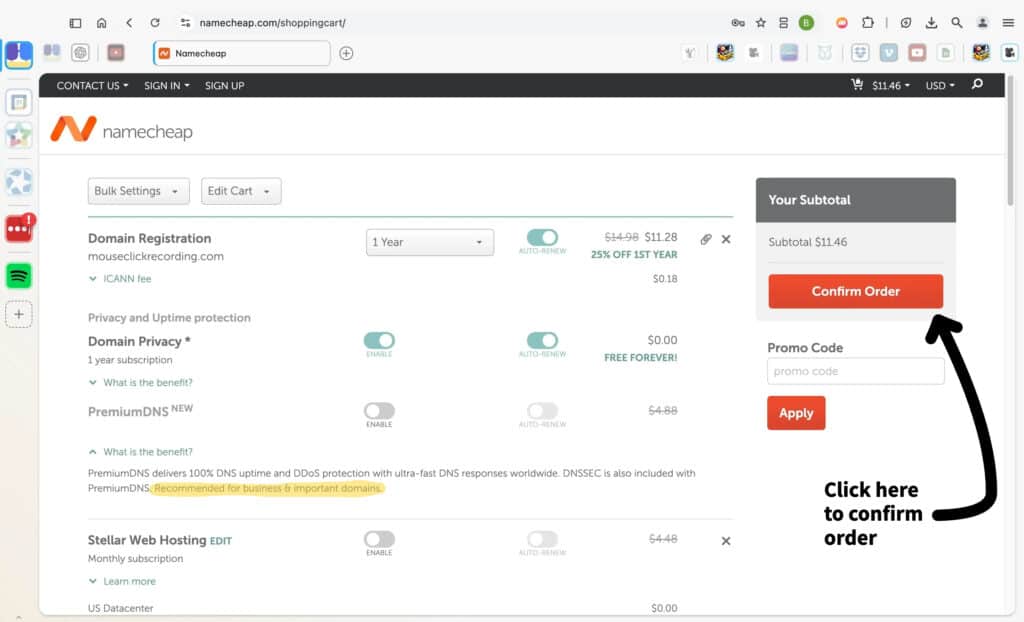
In the shopping cart, choose how long you want to register your domain—1 year is the default, but you can select more. Turn on the “Auto-Renew” option if you don’t want to risk losing your domain when the term ends. Review the other options and make sure everything is set as you want it.
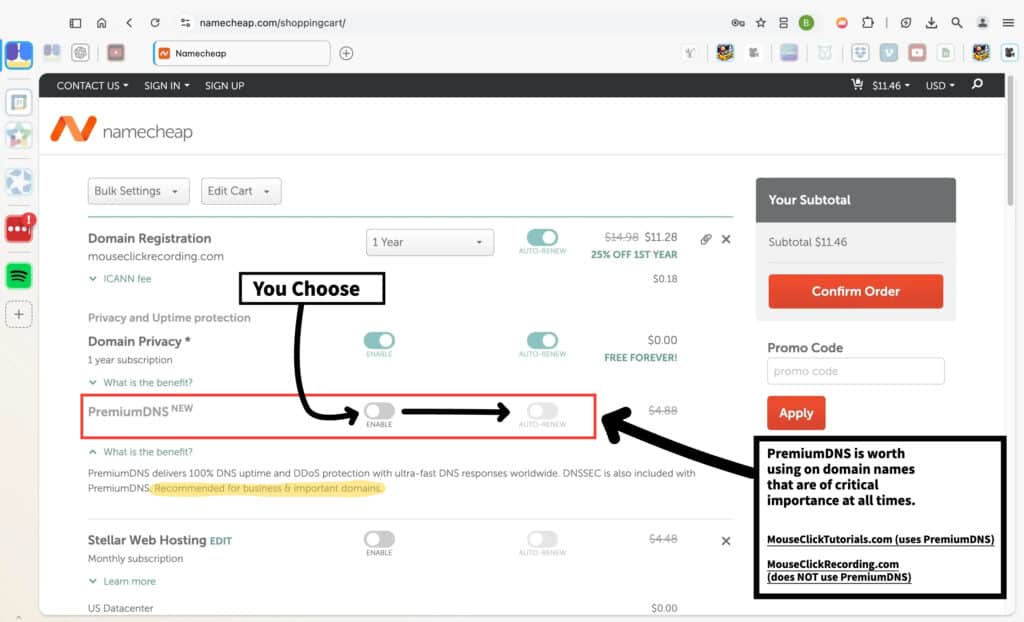
PremiumDNS offers improved DNS uptime, faster loading speeds, and DDoS protection. It’s an optional feature best suited for domains that require consistent performance and reliability.
For example, a domain like MouseClickTutorials.com, which is intended to host content for an audience, could benefit from the added stability. In contrast, a domain like MouseClickRecording.com, used primarily for internal purposes such as screen recording to create tutorials, may not need this level of service. Consider the purpose and importance of your domain when deciding whether to enable this option.
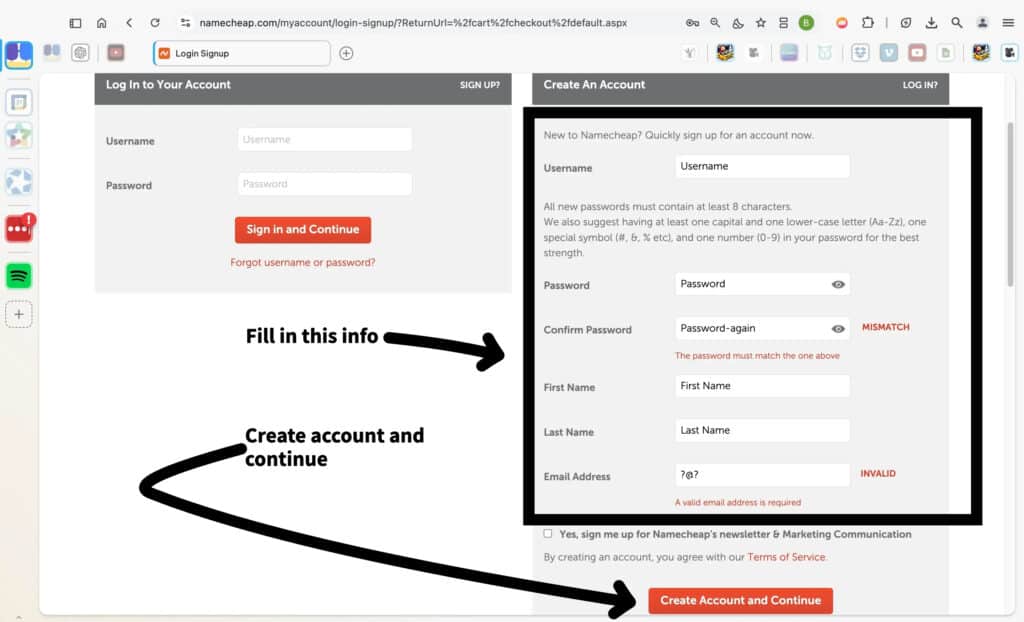
If you’re new to Namecheap, fill out the “Create An Account” form on the right side of the page. Enter a username, create a secure password, and confirm it. Then, provide your first name, last name, and email address. Make sure all the details are correct and that your passwords match. When everything is filled in, click the “Create Account and Continue” button.
If you already have a Namecheap account, simply log in using your username and password on the left side, then click “Sign in and Continue” to proceed.
ICANN requires contact information to be stored in the Whois database for all registered domains. Review the Registrant, Administrative, Technical, and Billing contact sections. You can use the default account information provided or update these fields if needed.
Once everything is filled out and accurate, click the orange “Continue” button on the right side of the screen to proceed to the next step.
Select your preferred payment method. You can add a new credit or debit card by entering the name on the card, card number, and billing address. Alternatively, you can use PayPal or account funds if those options are available.
Once you’ve completed all the necessary fields, review the details to ensure they are correct. When everything looks good, click the orange “Continue” button to proceed with finalizing your payment.
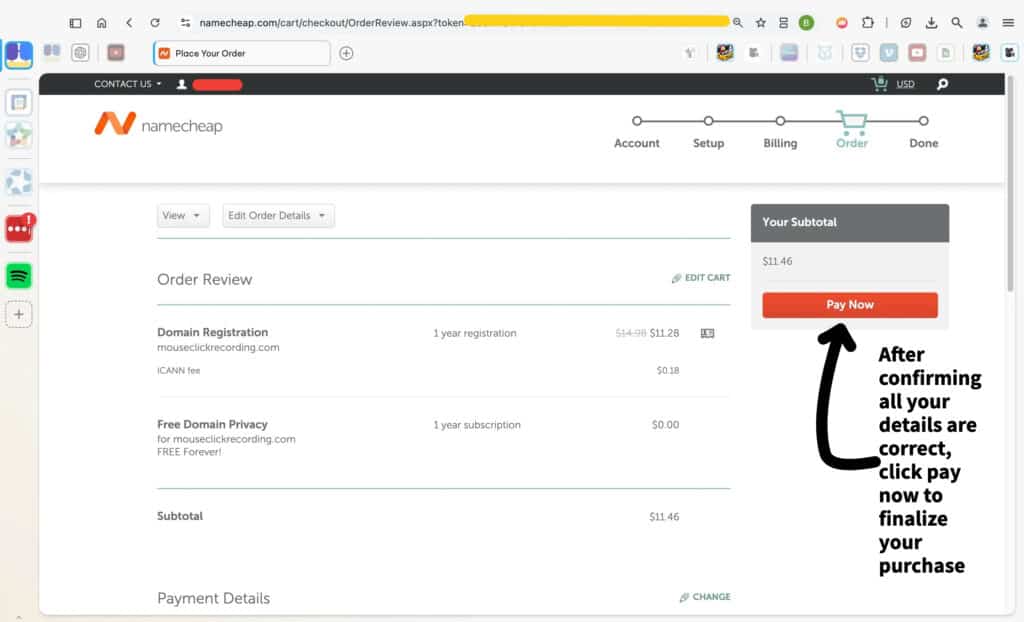
Review your order details carefully to make sure everything is correct. This includes the domain registration, privacy settings, and total cost. If changes are needed, use the “Edit Order Details” option.
Once you’re satisfied with the order summary, click the red “Pay Now” button on the right-hand side to complete your purchase. After payment, your domain registration will be finalized.
After purchasing your domain, it’s crucial to verify your contact information to comply with ICANN regulations.
Immediate Action Required:
-
Check your email: Within 15 days of registration, you’ll receive an email from Namecheap (support@namecheap.com) requesting verification of your contact details.
-
Click the verification link: Follow the link provided in the email to confirm your contact information.
-
Consequences of non-verification: Failing to verify within 15 days can lead to suspension or cancellation of your domain.
Annual Verification:
-
Yearly reminders: ICANN requires registrars to ensure the accuracy of WHOIS records. You’ll receive periodic emails to confirm your contact information remains up-to-date.
-
Keep your email current: Ensure the registrant email address associated with your domain is active and accessible to receive these important notifications.
Why This Matters:
Accurate contact information is essential for domain ownership and management. It ensures you receive critical updates and maintains your domain’s active status.
Tips:
-
Monitor your inbox: Regularly check the email account associated with your domain for verification requests.
-
Update promptly: If your contact information changes, update it through your Namecheap account to avoid missing important communications.
By following these steps, you ensure compliance with ICANN policies and maintain uninterrupted access to your domain.
Check out Namecheap!
I don't earn commissions from this link
I may earn commissions from this link
Services
WordPress
Bricks Builder
AI Video Gen
Video Editing
Custom Gigs
All services are provided through Fiverr.
Contact MouseClickTutorials

Mouse Click Tutorials
Privacy
Legal
Services
WordPress
Bricks Builder
AI Video Gen
Video Editing
Custom Gigs
All services are provided through Fiverr.